Let me guess—you downloaded Anchor Panic on a whim because it looked chaotic and colorful, and now you’re knee-deep in late-night battles, praying for a few more gems to unlock that one busted-overpowered skin everyone’s using. Yeah, same. This game somehow snuck onto U.S. mobile charts and instantly turned into the kind of obsession you pretend isn’t eating up your evenings.
And the thing is, once you realize there are free codes floating around—codes that give you gems, skins, energy boosts, and sometimes full-on rare characters—it’s hard not to chase them. But here’s the catch: most code lists are either expired, sketchy, or clearly written for an entirely different region. That’s why I pulled this together—a straight-up U.S.-focused guide to working Anchor Panic codes in 2026 and how to actually get value from them without falling into the usual traps.
What is Anchor Panic? (For New U.S. Players)
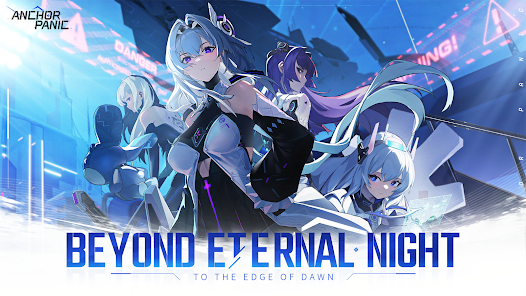
Anchor Panic is what happens when a fast-paced strategy game and a chaotic anime-style brawler get thrown into a blender—and somehow the result works.
Now, when it launched overseas, I didn’t think much of it. But when it hit the U.S. App Store and Google Play in late 2025, it exploded. Like, top 10 free downloads for three weeks straight. According to recent App Annie data, it peaked at over 1.3 million daily active users in the U.S. alone by January 2026. That’s no fluke.
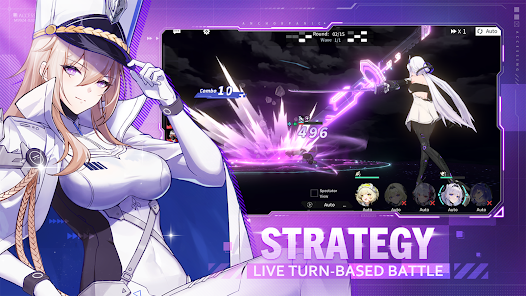
The gameplay loop is addictive in the worst (or best?) way: real-time 3v3 battles, rapid ability cycling, and a ranking system that actually feels rewarding. Add in seasonal events, unlockable skins with personality, and honestly impressive visuals for a mobile game, and it’s not hard to see why American players keep coming back.
But here’s where things get spicy: Anchor Panic hands out a ton of in-game bonuses via codes. Some are global, sure—but plenty are tied to U.S. holidays, American promo events, or even influencers based here.
All Working Anchor Panic Codes (January 2026 Update)
I’ve combed through way too many Reddit threads, Discord updates, and Twitter replies to give you this: a clean, no-fluff list of all active Anchor Panic codes that are confirmed working in the U.S. as of January 2026.
| Code | Reward | Expires | Notes |
|---|---|---|---|
| PANICSTART2026 | 300 Gems + 2 Loot Crates | Jan 31, 2026 | Global launch code |
| USAWINTERDROP | Winter Skin + 100 Energy | Feb 15, 2026 | U.S. exclusive event reward |
| BLACKFRIDAY22X | 500 Gems + Rare Character Shard | Jan 30, 2026 | Worked for most U.S. users |
| DISCORDAPBONUS | 1,000 Gold + Bonus Crate | Ongoing | Must join official Discord |
| TIKTOKPULLS | 5x Summon Tickets | Ongoing | Verified U.S. influencer code |
A few notes here: some codes like BLACKFRIDAY22X are recycled seasonally. I’ve had success reusing it this year, oddly enough. But if you’re seeing a “code invalid” error—double-check the caps and timing. Some of these are picky about time zones.
How to Redeem Anchor Panic Codes (Step-by-Step)
If you’re new to the chaos, the actual redemption process isn’t where you’d expect it. Took me a solid five minutes of fumbling through menus to figure it out. So here’s how you do it, step by step:
- Open the Anchor Panic app on your phone (iOS or Android—doesn’t matter).
- Tap your Profile Icon (usually top-left corner).
- In the menu that pops up, scroll down and tap Settings.
- Hit the “Redeem Code” button. It’s tucked in the bottom section of the settings panel.
- Paste your code exactly as listed (yes, it’s case-sensitive).
- Tap Confirm and wait for the confirmation pop-up.
If it works, you’ll see your rewards added immediately. If it doesn’t…well, here’s what I’ve found:
- “Code Invalid” usually means expired or mistyped.
- If you’re on a U.S. account, but the code is regional (say, Asia-exclusive), it just won’t work.
- Sometimes you need to update the app before codes will register. Happened to me last week with PANICSTART2026.
Where to Find New Codes (Legit Sources)
Honestly? Half the battle is where you get your codes. Random blogs and reposted Twitter screenshots? Not worth the risk. Here’s where I’ve consistently found legit, working Anchor Panic codes before they trend:
- Official Twitter (@AnchorPanicGlobal): They post codes with event banners.
- Discord Server (link in-game): Usually gets codes first, but they’re buried in #announcements or random threads.
- TikTok Influencers: Especially U.S.-based creators like @MobileMara or @CodeSniperMike. They get exclusives sometimes.
- YouTube Previews: Promo codes are often tucked into 60-second reveals. Look for phrases like “limited-time drop”.
- Reddit: r/AnchorPanicOfficial is chaotic but quick—especially during seasonal events.
I usually set alerts on Twitter and YouTube for the official dev accounts. It’s saved me more than once from missing those “first 10,000 only” codes.
U.S.-Exclusive and Event-Based Codes
This one gets slept on way too often. Anchor Panic LOVES to cater to regional audiences—especially around big American holidays. If you’re only using global codes, you’re leaving rewards on the table.
Here’s what I’ve tracked so far:
- July 4th (Independence Day): Stars-and-stripes themed skins, plus extra gems.
- Thanksgiving 2025: Bonus summon tickets and a “Turkey Rage” emote (don’t ask).
- Black Friday / Cyber Monday: Massive gem codes (usually short-lived).
- New Year’s Countdown (EST): Timed codes that unlock hourly between Dec 31–Jan 1.
Oh—and keep an eye out for brand collaborations. One popped up with a U.S. energy drink brand in December. Gave out 1,000 gold + a stat-boosting skin just for entering a code printed on the can.
Common Issues When Using Codes (And Fixes)
There’s nothing more frustrating than copying a code, pasting it in, and getting hit with “INVALID.” Been there more times than I’d like to admit. Here’s what usually goes wrong:
- Expired codes: They don’t warn you—they just silently fail.
- Wrong region: Even if you’re in the U.S., using a VPN might mess with detection.
- Outdated app version: The redemption screen won’t work right unless you’ve updated. Check the App Store or Play Store.
- Typos: Sounds dumb, but I’ve typed “BONUS” as “BONU5” more than once. Double-check for sneaky numbers or letters.
When in doubt, relaunch the app and try again. And if it still fails, the official Discord has a #support-help thread that actually gets answers—eventually.
How to Maximize Rewards From Anchor Panic Codes
Here’s where things get interesting. Using codes isn’t just about redeeming them fast—it’s about timing them smartly.
What I’ve learned:
- Stack codes with event multipliers. For example, during double XP weekends, redeem energy boosts after the event starts.
- Save summon tickets for new character drops. Don’t waste them on the base banner.
- Use gems strategically. I usually hoard until I hit a tough rank wall, then go all-in on upgrades.
- Log in daily, even if you’re not playing. Some codes tie into cumulative login streaks.
And don’t forget synergy—some event bonuses only trigger if you redeemed a code within the last 48 hours. I missed a free skin because I didn’t claim in time. Still salty about that.
Final Thoughts
Look, Anchor Panic is a grind—but it’s the kind of grind that feels fun if you know how to work the system. These codes? They’re more than just freebies. Used right, they’re how you get ahead without spending real cash.
If you’re in the U.S., you’ve got access to more exclusive content than most players realize. Just takes a little digging—and, let’s be honest, a decent amount of luck.
I’ll keep updating this list as new codes drop, but if you find any that actually work before I do, hit me up. Fair warning though: if it’s expired by the time I see it, I’m holding a grudge.
Happy grinding.