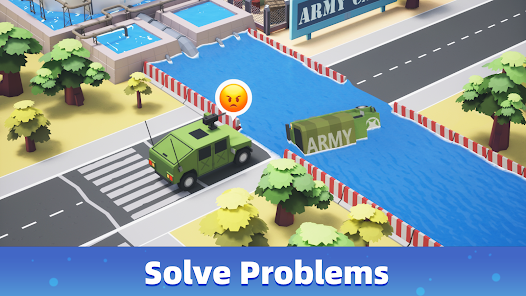
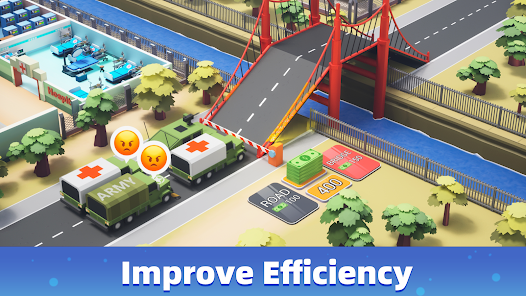
So, I’ll be honest—when I first stumbled onto Army Tycoon: Idle Base on Roblox, I didn’t expect much. I figured it’d be just another idle game I’d check out for five minutes and forget about the next day. But something about the way it balances base-building with that sweet, addictive reward loop… yeah, it hooked me fast. You’re managing soldiers, upgrading structures, watching your military empire expand while you barely lift a finger (well, until the grind kicks in).
Now, here’s the thing most new players miss: developer codes. These aren’t just throwaway extras—they’re actual performance boosters. We’re talking XP boosts, daily rewards, piles of in-game currency, and other goodies that can seriously jumpstart your progress. And since the devs drop updates and fresh promo codes pretty regularly, staying on top of active Army Tycoon codes can make a noticeable difference—especially if you’re aiming to climb the leaderboard without shelling out Robux every other day.
So if you’re ready to skip the slow crawl and unlock some real perks, let’s get into the full list of working Army Tycoon promo codes—and how to redeem ’em before they expire.
List of Active Army Tycoon Codes (August 2025)
Alright, if you’re anything like me, you don’t want to waste time grinding for coins when there’s a shortcut sitting right in front of you. And yeah, these codes? Total game-changers—especially early on when you’re trying to build momentum. Below are the latest working Army Tycoon codes for August 2025. I’ve tested these myself (as of last night—August 25), so you’re good to go. Just don’t sit on them too long—some expire without warning.
| Code | Reward | Type | Valid Through |
|---|---|---|---|
| BASEBLITZ25 | 2x Coin Multiplier (15 mins) | Limited-Time Boost | August 31, 2025 |
| VIPPOWERUP | 500 Coins + 1 General’s Bonus | VIP Perk Reward | September 5, 2025 |
| NEWHQ2025 | 300 Coins + 1 Base Upgrade | New User Bonus | No expiration (yet) |
| COMMANDERDAILY | 1 General’s Bonus + 100 XP | Daily Login Code | Resets every 24 hours |
| AUGUSTREDEPLOY | XP Boost + 1 Random Gift Crate | Seasonal Code | August 31, 2025 |
How to Redeem Army Tycoon Codes (Without Missing a Reward)
Alright, so if you’re anything like me, you’ve probably stared at that Roblox UI for a few too many seconds wondering, “Wait… where the heck do I even put these codes in?” Been there. The process isn’t hard, but the game doesn’t exactly throw a neon sign at you either. Here’s how I do it—and trust me, once you’ve done it once, it becomes muscle memory.
Step-by-step to redeem Army Tycoon codes:
- Open the game and wait for your base to fully load (sometimes the UI glitches if you’re too quick—learned that the hard way).
- Look for the “Codes” icon. It’s usually on the left side of your screen—tiny button, looks like a gift box or something close.
- Click it to bring up the input box. That’s your code center.
- Enter your code carefully. No extra spaces—I’ve had perfectly valid codes fail just because of a rogue space at the end. Super annoying.
- Hit the confirm/redeem button. You should see a quick confirmation window or, if it works, a little reward claim animation (love that part, honestly).
- Check your inventory or resources. XP boosts, coins, or new units should show up immediately—if not, reload the game just in case.
Where to Find New Army Tycoon Codes (Without Wasting Time)
Now, I’ve spent way too many mornings digging around for new Army Tycoon codes when I should’ve just been collecting my daily rewards. What I’ve learned—sometimes the hard way—is that finding legit, up-to-date codes is less about random searching and more about knowing where the devs drop them. Spoiler: it’s not always obvious.
Here’s where I keep an eye out (and where I think you should too):
- Twitter/X (Dev account) – This is usually the first place they’ll tease a new code, often hidden in an announcement post or snuck into an update preview. I’ve missed codes before just because I wasn’t checking consistently.
- Official Discord server – This one’s gold. New codes sometimes leak here before they hit public channels. Plus, you’ll spot developer hints and community leaks in the chat if you’re paying attention. (Just mute everything but the announcements if it gets too noisy.)
- Roblox group & game page – Occasionally, the devs will pin a code in the description or drop one during a surprise update log. It’s hit-or-miss, but worth a glance.
- Game changelogs or patch notes – I used to skip these. Big mistake. Sometimes they bury a code in the middle of a long paragraph like it’s a mini scavenger hunt.
So yeah, if you want to stay ahead—and actually redeem codes before they expire—those are your best bets. I’ve started checking right after each patch drops, and it’s saved me a ton of grind time.