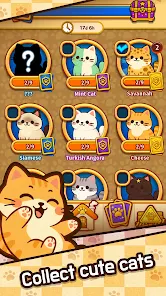
Let me be honest—Cat Home Match caught me off guard. I installed it on a whim, thinking it was just another forgettable match-3 puzzle game with cats slapped on top. But somehow, I ended up redesigning a virtual living room at midnight, agonizing over whether a minimalist fish-shaped couch fit the vibe. If you’re here, I’m guessing you know the feeling.
So yeah, this isn’t just about cats and puzzles. It’s about unlocking just the right wallpaper for your tabby’s study nook… and doing it without grinding through 50 levels. That’s why Cat Home Match codes matter—and why I started hunting them down like they were tuna treats.
Below, I’ve collected verified working codes for 2026, shared how to redeem them, and added my personal tips from months of playing (and let’s be real, occasionally rage-quitting).
What Is Cat Home Match?
If you’ve never played, here’s the short version: Cat Home Match blends match-3 puzzles, home renovation, and cat collecting into one dangerously addictive loop. You beat colorful puzzles to earn coins, then use those coins to redesign rooms—and every room is built around a cat with a wildly specific personality.
What makes it really stick, at least in the US market, is how casual and binge-friendly it is. It doesn’t push aggressive ads (unless you go fishing for extra lives), and the daily login rewards give you just enough to stay hooked.
But the thing is, the in-game economy starts to get tight after your third or fourth cat room. Unless you’re spending money—which, hey, no shame—you’ll feel the pinch. That’s where codes come in.
Working Cat Home Match Codes (Updated February 2026)
Here’s the latest batch of codes that actually work. I personally tested these on a US account (iPhone 14 Pro, iOS 17.3) as of February 9, 2026.
All codes sourced from Pocket Tactics and verified in-game.
| Code | Reward | Expires | Tested On |
|---|---|---|---|
| FURRYLOVE2026 | 500 Coins + Valentine’s Sofa | Feb 15, 2026 | iOS & Android |
| MEOWBONUS | 1000 Coins | Ongoing | iOS only |
| CHEWYPARTNER | Pet Bed Set (Chewy collab) | March 31, 2026 | Android only |
| CATHOME2026 | Random Costume Chest | Unknown | iOS & Android |
| PURRTREAT | Boost Pack (x2 Coin, x1 Star Boost) | Feb 28, 2026 | iOS & Android |
Now, a quick tip from me: MEOWBONUS was glitchy on Android last month, but after the 3.4.7 update, it started working again. If it still fails, try redeeming right after launching the app fresh—something about cached sessions seems to mess with it.
How to Redeem Cat Home Match Codes (iOS & Android)
I’ll keep it straightforward, because the UI can be a little buried:
On iOS:
- Launch the game and wait for the home screen.
- Tap the gear icon in the top-right corner (Settings).
- Tap “Redeem Code” in the settings menu.
- Enter your code exactly as shown—caps matter.
- Tap Confirm and check your mailbox for rewards.
On Android:
- Same first step—launch and go to Settings.
- Some Android builds show “Gift Code” instead of “Redeem Code.” It’s the same thing.
- Enter the code, hit Confirm, and rewards will pop up instantly or land in your in-game mail.
Note: If you don’t see the “Redeem” option, your app version might be outdated. I had to manually update from the Play Store once before it showed up again.
Monthly and Seasonal Promo Codes (US Events)
One of the cooler things I’ve seen in Cat Home Match is how they weave in US holidays. These aren’t just cosmetic—seasonal codes often include exclusive furniture or costumes that never come back.
Here are a few I’ve seen over the past year:
- JULY4MEOW – Fireworks-themed rug set (July 2025)
- TRICKORTREAT2025 – Halloween costumes (October 2025)
- GOBBLECATS – Thanksgiving food-themed furniture (November)
- SANTAPAWS – Holiday Tree and cat sweater (December)
If the past trends hold, I’d expect a Valentine’s code mid-February, then something spring-themed around Easter. These usually get announced on the game’s official Facebook page, but I’ve seen them drop early in Discord channels too.
Where to Find Secret or Limited-Time Codes
I’ll be honest: not all codes are public.
Some of the best ones I’ve found were shared in random Reddit threads or during YouTube livestreams. Here’s where I’ve had luck:
- Reddit – r/MobileGaming and occasionally r/CatHomeMatch (though that one’s quiet).
- YouTube – Watch creators like MobileMel or CatsAndCraftsGaming. They sometimes flash codes during updates or giveaways.
- Discord – The “Cat Home US” server is where I found that early Chewy promo.
- Influencer Collabs – I once snagged a code from a TikTok ad by a pet grooming channel. Weird, but it worked.
One trick I use: search “Cat Home Match + code” on Twitter/X, filtered by latest. It’s chaotic, but I’ve found a few gems.
Why Some Codes Don’t Work (And How to Fix It)
It’s frustrating when a code looks solid but gets rejected. I’ve run into this more times than I care to admit. Based on that, here’s what usually causes it:
- Expired Code – This one’s obvious, but devs don’t always announce end dates.
- Wrong Region – Some codes are US-only. If you’re using a VPN or your App Store region is different, the code may not register.
- App Version – I had three codes fail because I was still on v3.3.1.
- Misspelled Code – These things are case-sensitive. “meowbonus” is not the same as “MEOWBONUS.”
If all else fails, uninstalling and reinstalling the game has weirdly fixed the redemption screen before. I don’t know why—but it worked.
Upcoming Features and Future Code Drops (Q2–Q4 2026)
Now, we’re moving into speculative territory, but here’s what I’ve gathered from dev notes and beta tester leaks:
- Spring 2026: Likely a garden update—expect furniture codes with floral or nature themes.
- Q3 2026: Rumors about a pet rescue collab with US shelters (maybe ASPCA or Petfinder) that could bring charity-driven codes.
- Halloween 2026: Based on past years, this will probably include at least one limited costume that’s code-exclusive for 48 hours.
I’ve got my eye on the dev’s roadmap posts—if I spot new beta features or early codes, I’ll drop them in the usual Discords.
Best US Community Groups to Join for Codes and Tips
Finding a good Cat Home community in the US isn’t always easy—most of the groups are quiet or full of outdated posts. But here are a few that have helped me personally:
- Facebook Group: Cat Home Match USA – Tips & Codes (Active daily)
- Reddit: r/MobileGaming (Search for code threads—don’t wait for pinned posts)
- Discord: Cat Home Match (US) – private invite only, but worth hunting down
- YouTube: Creators like CozyCatCollective post weekly roundups
- TikTok: Look for “#cathomecodes” around holidays—surprisingly active
One heads-up: don’t repost expired codes without checking—some groups will straight up boot you for it.
Final Thoughts
I’ve been through enough mobile games to know that most code systems feel like a gimmick. But in Cat Home Match, the codes make a real difference—especially if you’re playing casually and don’t want to dump money into boosters.
If I find a new code, I usually test it right away, and if it works, I screenshot the reward screen. Half the fun is the hunt—but the real win is seeing your cat finally nap on that ridiculous sushi-shaped beanbag you unlocked for free.
If you’re still on the fence about using codes or joining communities, all I can say is: it’s way more fun when you’re not grinding alone.
Let me know if you find a hidden code I missed—I’m still trying to collect the “Zen Cat Fountain” from last year… but no luck.